





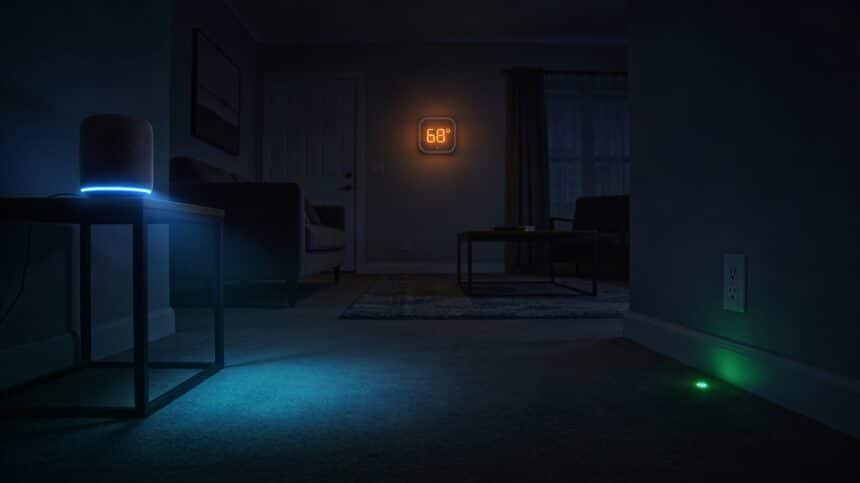
The smart home promised lower bills. What it delivered was a house full of devices that never actually turn off.
Right now, while you sleep, your smart speaker is listening for a wake word. Your video doorbell is streaming to a cloud server. Your smart hub is polling every connected device every few minutes to confirm it is still online. Your smart bulbs, the ones you switched off an hour ago, are still drawing power so they stay ready to respond to a voice command. None of those standby loads feel significant in isolation. Together, phantom energy can account for up to 30% of the average household’s electricity bill, and that number climbs higher in homes with more connected devices.
The checklist below finds the leaks. Some will surprise you more than others.
What Phantom Load Actually Is
Phantom load, also called vampire energy or standby power, is the electricity a device consumes while it is plugged in but not actively in use. Every device with a remote control, a clock, a Wi-Fi radio, or a standby indicator light falls into this category. The individual draw is usually small, often less than two watts per device. But the average household has dozens of these devices running simultaneously around the clock, 365 days a year, and those watts compound into real dollars.
The Department of Energy estimates that phantom loads cost the average U.S. household between $100 and $200 per year. In a smart home with multiple hubs, cameras, speakers, and connected appliances, that number can run significantly higher. Unplugging just five devices already shows up on a monthly bill. A full audit multiplies that.
The Hidden Energy Drain Checklist
Work through this room by room. Mark every item that is always plugged in and never fully powered down:
Living Room
- Smart TV on standby (1 to 3 watts continuously)
- Smart speaker or display hub (2 to 4 watts always-on, listening mode active)
- Cable or streaming box (some models draw 15 to 20 watts even when idle)
- Gaming console in rest mode (up to 10 watts depending on model)
- Smart power strip with a control module
Bedroom
- Smart bulbs in lamps (0.5 to 2 watts per bulb in standby, always waiting for commands)
- Phone charger left plugged in without a phone attached
- Smart alarm clock or display
Kitchen
- Microwave with a digital clock (3 to 7 watts continuously)
- Coffee maker with programmable timer
- Smart refrigerator with a Wi-Fi module
- Smart range or oven display
Home Office
- Desktop computer in sleep mode (1 to 6 watts)
- Monitor on standby
- Printer in standby (3 to 5 watts, most printers never fully power down)
- Router and modem (both run 24 hours and together can use 10 to 20 watts constantly)
Whole Home
- Smart thermostat (small but continuous draw for Wi-Fi connection)
- Video doorbell running live to cloud
- Security camera system
- Smart lighting hub or bridge
- Any charging station left plugged in without devices attached
How to Measure What Each Device Actually Costs
The most accurate way to catch the biggest drains is with a plug-in electricity usage monitor, available for under thirty dollars at any hardware store. Plug it between the device and the outlet and it shows real-time wattage. For standby testing, switch the device off but leave it plugged in and check the reading. Multiply the watts by 8,760 (hours in a year) and divide by 1,000 to get annual kilowatt-hours. Multiply by your rate per kWh to see the annual dollar cost.
For a whole-home view, smart thermostats and HVAC habits are often the single largest controllable drain, and the HVAC filter change alone has a measurable impact on monthly costs. Pairing that with a full summer electric bill reset and easy energy cuts covers the major categories before getting into smart device specifics.
The Fix: Friction, Schedules, and Consolidation
Smart plugs with schedules: The most effective tool for phantom load is using a smart plug to cut power to entertainment and office clusters on a timer. Set clusters to power down at midnight and wake at 6 a.m. and the devices draw nothing for six hours every night. The irony of using one smart device to control the waste from others is real, but it works.
Power strips with physical switches: For devices you want to cut completely during vacations or weekends, a switched power strip lets you kill an entire entertainment cluster with one flip. No standby, no draw, no dollars.
Consolidate your smart home hubs: Multiple hubs running simultaneously, a Zigbee hub, an Alexa hub, a SmartThings bridge, each pulls power every hour of every day. Consolidating to one ecosystem reduces both the standby load and the monthly subscription fees that often come alongside fragmented smart home platforms.
Evaluate your smart bulbs honestly: Smart bulbs make sense in fixtures you control by voice or schedule frequently. In bedside lamps you turn off manually every night, a standard LED draws zero watts in standby while a smart bulb draws between 0.5 and 2 watts continuously. Twenty smart bulbs running at 1 watt each in standby costs roughly twenty dollars per year just to keep them ready for a voice command you rarely use.
If your smart home security setup is due for a review, solar-powered security systems eliminate the grid draw entirely for outdoor cameras and sensors, which is one of the cleanest ways to keep coverage without adding to the phantom load.
Sealing the Other Leaks While You Are Auditing
The smart home phantom load is a real drain, but it sits inside a larger picture. Drafty windows send conditioned air outside all day long, and a 15-minute home draft test finds the gaps faster than any energy audit. Attic insulation gaps work against your HVAC constantly, and drafty window sealing is one of the highest-return weekend projects for monthly bills.
A full AC tune-up before summer and staying on top of eco-friendly HVAC maintenance keep your biggest energy consumer running at peak efficiency while the smart device audit handles the smaller consistent draws.
Together, cutting household bills by four hundred dollars is not a single dramatic change. It is the sum of several quiet corrections, and the phantom load audit is one of the fastest ones to run. An hour with a power meter, a smart plug timer, and a switched power strip can close the most expensive leaks before next month’s bill arrives.
With the cost of living continuing to climb in 2026 and family budget pressures compounding, recovering money that was already leaving the house silently is one of the lowest-effort budget wins available. Your smart home should be working for you. A quick audit makes sure it actually is.