Amazon Spending Got Out of Control? Here’s the Simple System That Finally Stopped It
Have you ever opened your door to yet another Amazon package and thought, “I don’t even remember ordering this”?
- Amazon Spending Got Out of Control? Here’s the Simple System That Finally Stopped It
- Step 1: Find your real Amazon number
- Step 2: Sort your orders into three brutal categories
- Step 3: Put your Amazon spending on a real allowance
- Step 4: Use the 48‑hour rule on every non‑essential
- Step 5: Unhook the “save me” purchases from real problems
- Step 6: Delete the one‑click shortcuts and make buying mildly annoying
- Step 7: Send the savings somewhere on purpose
- Step 8: Deal with the stuff that already showed up
- You don’t have to quit Amazon. You just have to stop letting it run the show.
That was me last year. I’d swear I was being careful with money, but the brown boxes kept showing up. A cleaning gadget I saw in a reel. A random toy that would “totally keep the kids busy.” A cute basket that would magically solve my clutter problem. Sure.
Individually they were 12 dollars here, 19 dollars there. Nothing dramatic. But when I finally pulled my statements and added it up, I just sat there staring.
We had spent more on Amazon in one month than we had on groceries.
If your stomach just dropped because you know your number would be ugly too, you’re not alone. The good news is I didn’t fix this with some complicated spreadsheet or a personality transplant. I used a really simple system that you can steal and make your own.
Here’s exactly what I changed to get my Amazon spending under control without feeling totally deprived.
Step 1: Find your real Amazon number
Before you can fix anything, you have to know how bad it actually is.
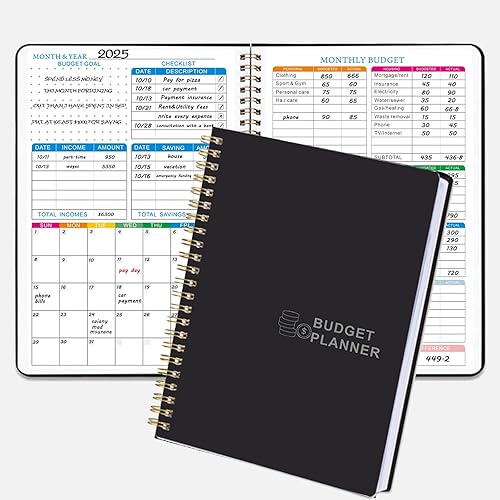
Log into your bank or credit card and pull the last 1–3 months. Filter for “Amazon” or just scroll and highlight. Write down:
- How many Amazon charges you had
- The total amount per month
- Which ones you don’t even remember
I know this part is awful. I wanted to slam the laptop shut. But once you see the number, you can’t unsee it, and in a weird way that helps.
When I did this, I realized Amazon wasn’t my only problem. I had leaks everywhere, which is exactly what I talk through in where does my money go? find budget leaks in 30 minutes. Amazon just happened to be the loudest leak.
You don’t need to build a full budget right now. Just get that one number. “In January we spent $X on Amazon.” Circle it. Feel your feelings. Then move to the next step.



Step 2: Sort your orders into three brutal categories
Next, go through last month’s Amazon orders and put each purchase into one of three buckets:
- Need – diapers, toilet paper, a replacement for something that broke, a specific book for school
- Helpful but not urgent – organizers, a second spatula, a nicer water bottle, things that genuinely improve your life but weren’t emergencies
- Regret or “why did I buy this” – impulse buys, scroll‑shopping, stuff you forgot to return, things you used once and tossed on a shelf
You can do this right inside your Amazon orders page or write it out in a notebook.
When I did this, my “needs” column was small. My “helpful” column was medium. My “regret” list was embarrassing. Duplicates of things I already owned. Cleaning tools that didn’t actually work better than what I had. Storage bins I bought instead of just decluttering, even though I already knew from what to declutter first for the biggest difference that more stuff wasn’t the answer.
The point here is not to beat yourself up. It’s to see your patterns:
- Do you impulse‑buy when you’re tired at night?
- Do you “treat yourself” every time you’re stressed?
- Do you buy organizing stuff instead of actually letting go of clutter?
Once you see the pattern, you can break it.
Step 3: Put your Amazon spending on a real allowance
Here’s where it finally clicked for me. I stopped treating Amazon like magic money and gave it a category like everything else.
Decide on:
- A monthly Amazon limit that doesn’t wreck your budget
- A weekly check‑in where you see what you’ve spent so far
- A simple rule: when the money is gone, Amazon is closed until next month
You can do this in a few ways:
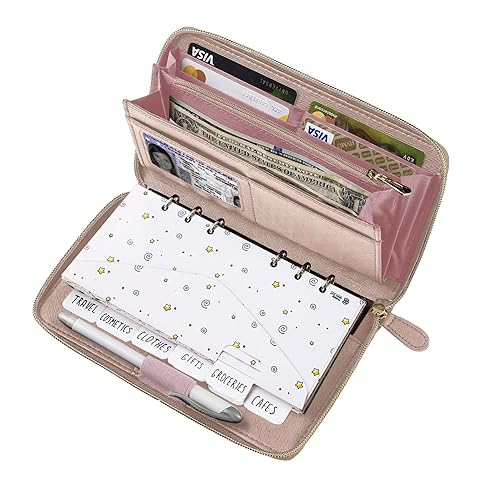
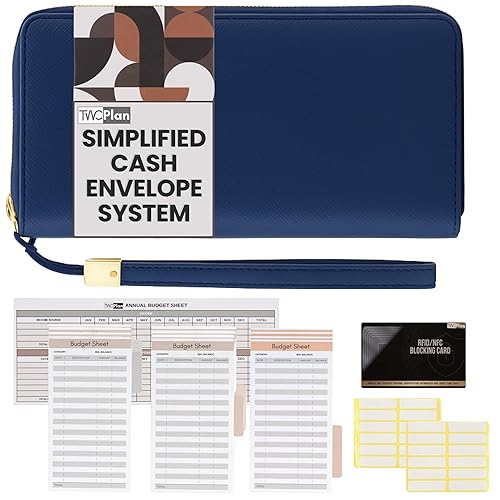
- A separate checking account just for online spending
- Prepaid card you load once a month
- Old‑school cash envelope labeled “Amazon” where you move the money out of your main account as soon as you get paid, even if the actual purchases are digital
If you’re already working with a bigger picture budget like the one you built in the brutally honest budget that finally worked, Amazon just becomes one line item inside that.
The key is that Amazon is now capped. It’s not this slippery thing that quietly eats whatever is left after bills.

Step 4: Use the 48‑hour rule on every non‑essential
This single rule probably cut my impulse orders by 60 percent.
If something is not an immediate need, it has to live in your cart or wishlist for at least 48 hours before you buy it.
The steps:
- See a thing you want
- Add to cart or wishlist, do not buy
- Close the app
- After 48 hours, open the cart and ask
- Do I still want this?
- Will I use it in the next 30 days?
- Would I buy it at full price with cash in my hand?
Most of the time, I’d forgotten about it or realized I was trying to buy myself out of stress.
I still use this with basically everything, even outside Amazon. It’s the same energy as what you did with your no‑buy month that saved $340 without feeling deprived. You’re not saying “never.” You’re saying “not right this second.”
If you want to go harder, you can set 7‑day rules for bigger purchases. But even just 48 hours for the small stuff makes a huge difference.
Step 5: Unhook the “save me” purchases from real problems
A lot of my bad Amazon spending wasn’t random. It was me trying to solve real problems in the worst way.
- House feels messy? Buy more baskets instead of decluttering.
- Kitchen is chaotic? Buy a bunch of gadgets instead of using something like your ADHD‑friendly kitchen drawer system.
- Mornings are miserable? Buy another planner instead of fixing the routine with something like the school morning routine that ended the chaos.
Now when I catch myself about to buy something, I ask:
- Am I trying to purchase a system instead of doing the boring part?
- Is there a free or simple fix first?
- Do I own something that already does this job?
Sometimes the answer is “yes, I do need a real thing.” Like storage bins after you declutter or a decent mop so you stop hating cleaning. That’s where your First Apartment Cleaning Starter Kit and When You Were Never Taught To Clean guides actually make sense, because they keep you from buying 20 random cleaners you’ll hate.


Step 6: Delete the one‑click shortcuts and make buying mildly annoying
Amazon makes it too easy to spend. Two taps on your phone while you’re half asleep and boom, package on the way.
You don’t have to cancel your account, but you can put a few speed bumps in.
Ideas:
- Turn off 1‑Click purchasing
- Remove your saved payment methods and make yourself type them in each time
- Log out of the app when you’re done so you have to sign in again
- Move the Amazon app into a folder on your phone, not your front screen
I know that sounds small, but making it even slightly annoying gives your brain a second to say, “Do we really need this?” The same way you talk about tiny friction in routines in the 5‑minute kitchen reset that saves your mornings, you’re now doing that with your spending.
Step 7: Send the savings somewhere on purpose
Here’s the fun part. When you stop letting Amazon quietly eat your money, you’ll see extra cash sitting there. If you don’t give it a job, it’ll just leak somewhere else.
Pick one or two priorities:
- Emergency fund
- Debt payoff
- Sinking fund for something you actually care about: travel, a class, kids’ activities
- Breathing room for your regular budget so it doesn’t feel like survival mode every month
When I shot my Amazon habit in the kneecap, I redirected that money into a couple of boring things that ended up changing everything, like catching up on bills and giving our grocery budget some air. A lot of the mindset and small shifts mirror what I shared in living paycheck to paycheck with a family.
You can also use some of that freed‑up money to invest in guides or tools that actually help you change habits long‑term, like your Stop the Amazon Spending Spiral system, instead of another random gadget.
Step 8: Deal with the stuff that already showed up
There’s one more piece nobody talks about. Once you cut back on new orders, you’re still left with all the stuff that already arrived.
Half‑used organizers, clothes that never quite fit, gadgets that didn’t do what they promised. It all sits there, taking up space and quietly making you feel bad.
Block a simple 30–60 minute session:
- Pull out “regret” items from closets, cabinets, under beds
- Return what’s still eligible
- Donate or sell what you can
- Toss what’s truly trash
This is not about punishing yourself. It’s a reset. You’re drawing a line between “old habit me” and “new system me.”
Honestly, pairing this with a quick declutter session using what you teach in how to start decluttering when you’re completely overwhelmed makes it feel way more doable.


You don’t have to quit Amazon. You just have to stop letting it run the show.
I still use Amazon. I like the convenience. I am not living some noble, completely offline shopping life. The difference is that now Amazon is a tool, not a black hole.
The system, in plain English:
- Know your real number
- Sort your past orders and notice the patterns
- Give Amazon a monthly limit
- Force a 48‑hour pause on non‑essentials
- Fix the underlying problems instead of buying fake solutions
- Add a few speed bumps to the app
- Send the savings where you actually want your life to go
- Clear out the old regret purchases so you’re not living in them
You don’t need more willpower. You need slightly better rules and a little distance between “I want it” and “it’s on a truck to my house.”
Start with one change. Maybe today, you pull your last month’s Amazon total. Or you turn off 1‑Click. Or you make an “Amazon allowance” category in your budget.
Tiny steps are how you got into this spiral. Tiny steps can walk you out.
If you want a structured plan rather than individual tips, The Family Budget Reset ($22) is a 30-day framework for identifying exactly where the money is going and reassigning it — built specifically for families, not single earners.
For books and tools that go deeper on this topic, Amazon has a solid selection worth browsing.